2025
Interstellar
An AI planning app that turns a student's goals and transcripts into a personalized four-year University of Hawaiʻi degree plan. It won first place in the professional category at HACC 2025.
- Event
- Hawaiʻi Annual Code Challenge (HACC) 2025
- Award
- 1st place, professional category
- Role
- Team lead, full stack
- Team
- 2 people
- Stack
- React, TypeScript, FastAPI, LanceDB, OpenAI
Overview
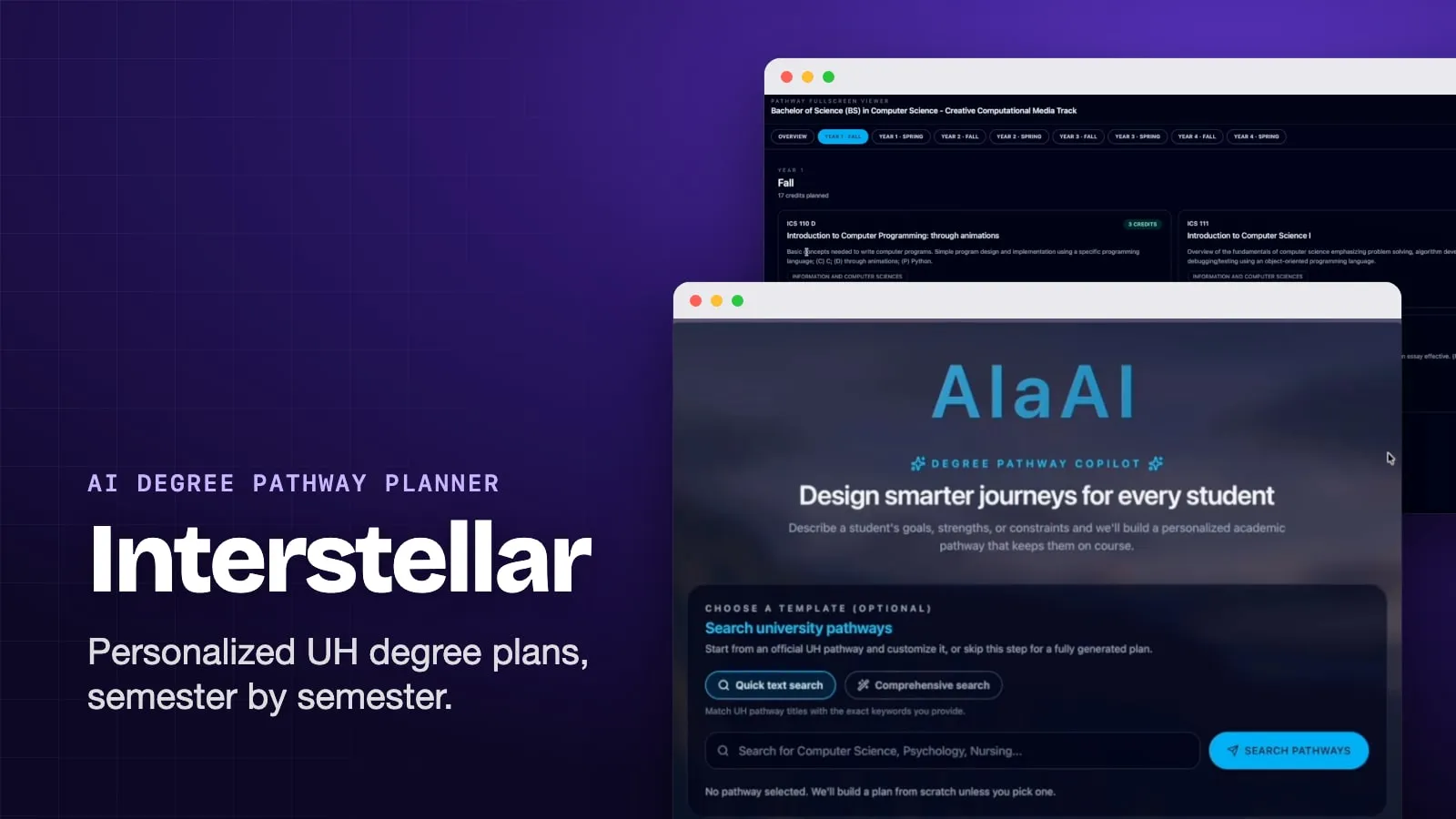
Interstellar is an academic planning app for students starting at the University of Hawaiʻi at Mānoa. A student describes what they want to study and can attach a transcript or other documents. They get back a full four-year plan: real UH courses placed semester by semester, a short explanation written the way a counselor would say it, and a PDF to bring to an advising appointment.
We built it for the Hawaiʻi Annual Code Challenge (HACC) 2025, where it won first place in the professional category. I led our team of two. Inside the app it’s branded AlaAI.
The problem
UH publishes a degree pathway for each program: a suggested sequence of courses, semester by semester. Many slots in those pathways aren’t specific courses, though. They’re requirements like “ICS 300+”, “FG (A/B/C)”, or “DA/DH/DL 300+”, and the UH catalog has thousands of courses that could fill them. A student who wants to study computer science but cares about art and games has to work out alone which of the qualifying courses fit them.
Interstellar keeps the official pathway as the backbone, so the plan follows real degree requirements. Fixed courses stay fixed. For each open slot, it uses the student’s own words to choose a course that meets the rule.
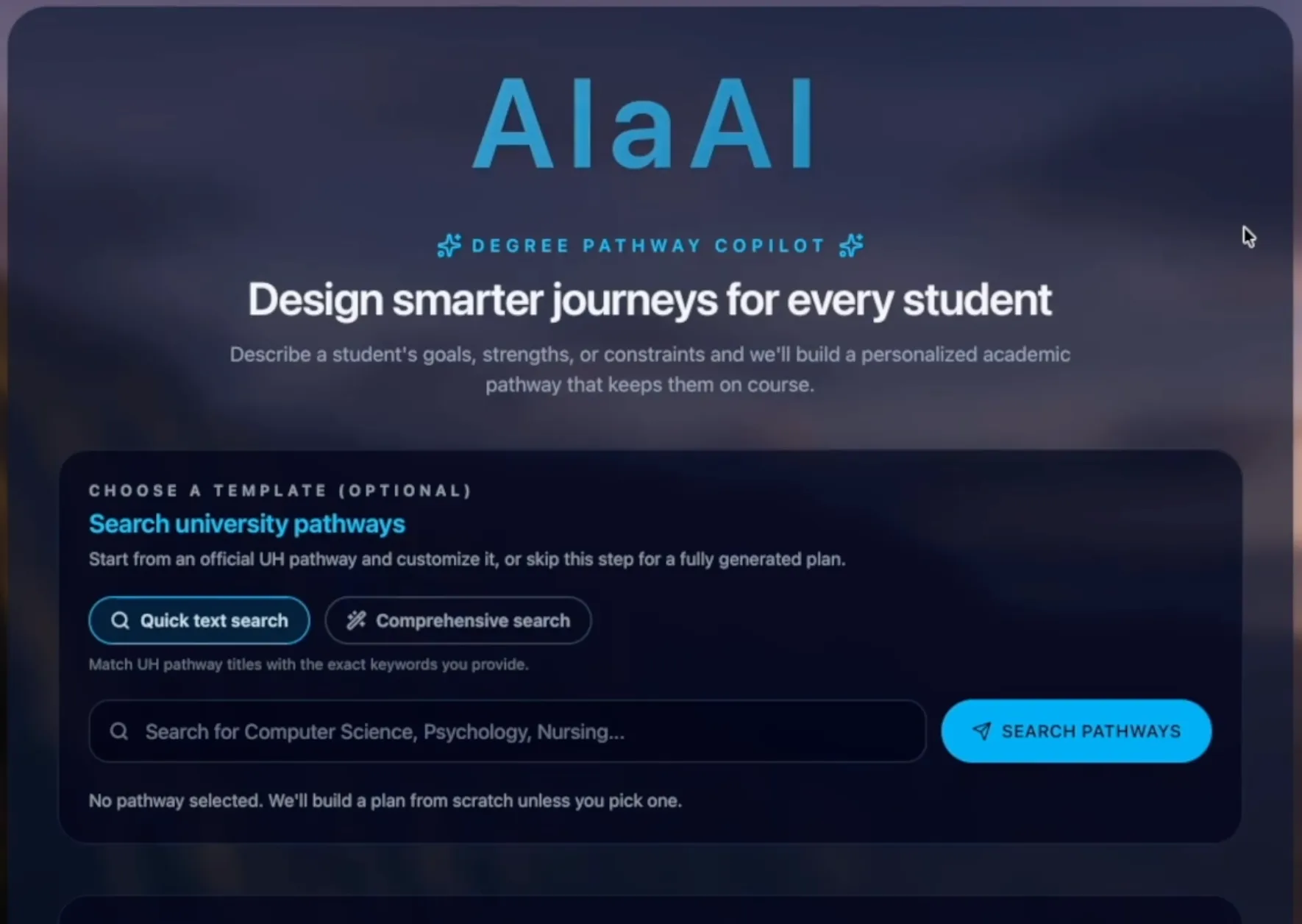 The start screen. Picking an official pathway as a template is optional.
How it works
A request goes through seven steps, from what the student typed to a plan they can edit.
Read the student’s input
The student writes in plain language: interests, career goals, transfer credits, time constraints. They can also attach PDF, Word, or text files, such as a transcript or a transfer evaluation. The backend pulls the text out of PDFs with pypdf and Word files with python-docx and appends it to the message, so everything in the documents becomes part of the search.
Choose a pathway
Every Mānoa degree pathway is stored in LanceDB with an OpenAI embedding. The student’s text is embedded the same way, and the closest pathway becomes the backbone of the plan. The next closest ones come back too and show up as “Similar pathways” the student can switch to.
A student who already knows their major can search the pathways first, by keyword or by meaning, and pick one as a template. Then that pathway is used as is, and the student’s text only shapes which courses fill it.
Turn requirements into filters
Requirement names are written for people, not databases. An LLM, called through Pydantic AI with a typed output schema, turns each one into fields the database can filter on: subject code, exact course number, minimum course number, suffix, and General Education designations. The prompt covers the shorthand the pathways use, for example:
| Requirement | Filter |
|---|---|
| ICS 300+ | Subject ICS, course number at least 300 |
| DA/DH/DL 300+ | Designation DA, DH, or DL, course number at least 300 |
| FG (A/B/C) | Designation FGA, FGB, or FGC |
| Elective | No filter: any course |
Find a course for every slot
Each slot becomes one query against the Mānoa course catalog: a vector search on the student’s text, narrowed by that slot’s filters. A credit check also applies: the course’s credit range has to include the credits the pathway gives that slot. The top result goes into the plan, and the rest of the top ten are kept as alternatives. If nothing passes the filters, the slot shows a labeled placeholder instead of a guess.
A four-year plan has dozens of slots, so they’re all searched at once with asyncio.gather on an async LanceDB connection instead of one after another.
Explain the plan
One last model call gets the chosen courses and the student’s text and writes a short summary in the voice of a college counselor: how these courses connect to what the student said they want.
Review, edit, and export
The plan opens in a fullscreen viewer with a tab for each semester. Each course card shows its code, title, description, credits, department, and designations. Opening a card lists the alternatives found for that slot, and the student can swap one in or restore the original. The current plan and every swap are saved in the browser’s local storage, so a reload doesn’t lose them.
Export sends the edited plan back to the server, which renders a PDF with fpdf2: the summary, similar pathways, each semester’s courses, and the alternatives for each slot.
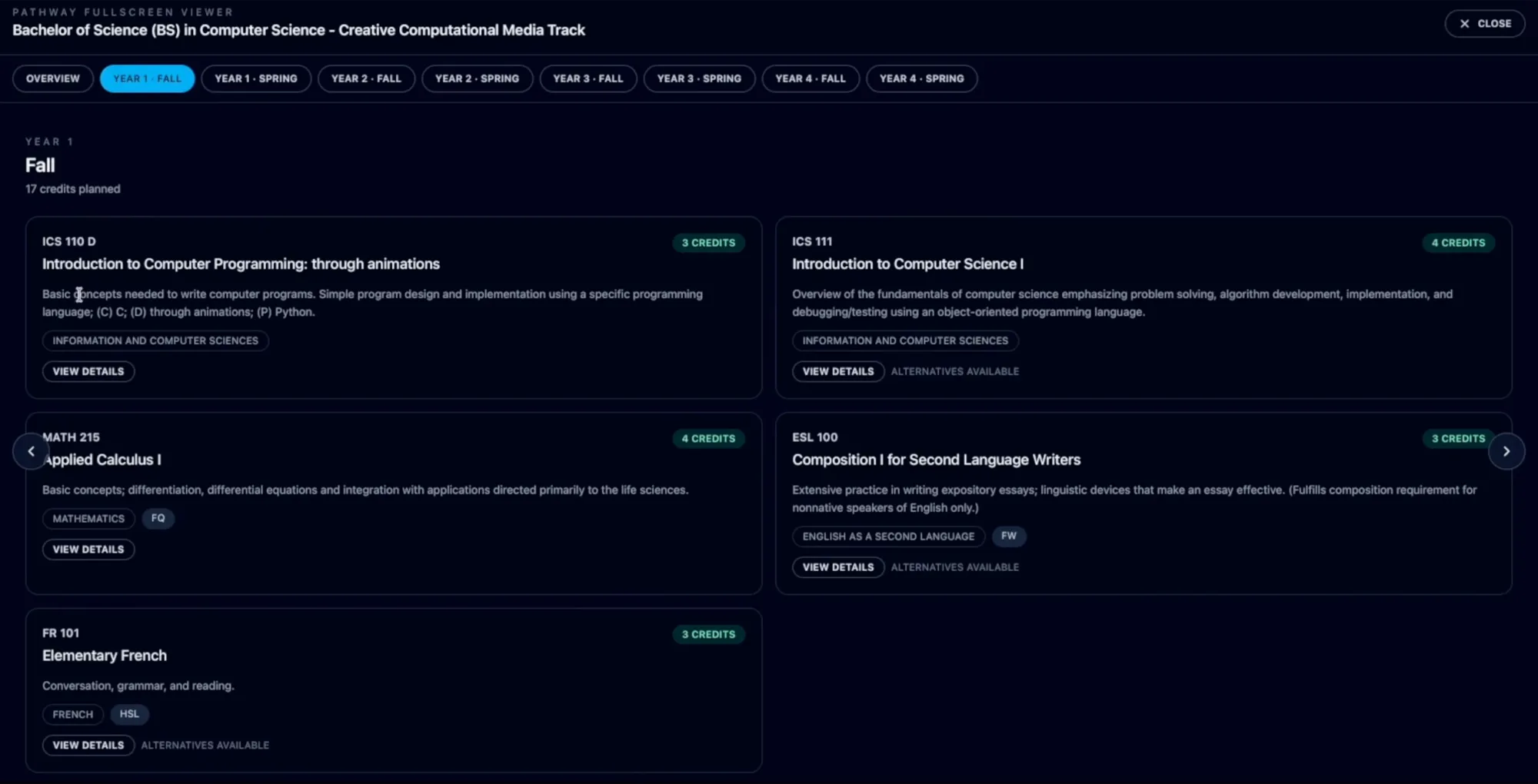 Year 1 fall of a generated computer science plan. Cards marked “Alternatives available” can be swapped for another course that meets the same requirement.
Engineering decisions
Translate requirements once, not on every request
The requirement translator can run live, sending names to the model in concurrent batches of five. But every requirement name comes from a fixed set of pathways, so the same strings would be translated again and again. I ran the translator once over every unique requirement name in the dataset and saved the results to a JSON file.
At request time the backend looks each name up in that cache. The step is instant, and the same requirement always gets the same filter. The cache is strict: a missing name raises an error instead of quietly falling back to the model. The only chat-model call left on a plan request is the summary.
Rules as filters, interests as vectors
A requirement is a hard rule. A student’s interests are a soft preference. So the rules go into database filters (designations match with array_has_any) and the student’s words go into the vector search. Embeddings alone could rank a 200-level course into a 300+ slot. Filters alone can’t tell which of dozens of qualifying courses a particular student would care about. Together they pick a course that is both allowed and relevant.
Keep the runners-up
The search already returns a ranked list for every slot, so the plan keeps it instead of throwing it away. That’s what makes swapping a course instant: the alternatives are already in the plan, and changing one doesn’t need another request.
One schema from Python to TypeScript
The plan is defined once as Pydantic models. The pathway models are generic over the course type, so the same structure holds a pathway’s raw requirement names before matching and full UH course records after. FastAPI publishes those models as an OpenAPI schema, and the frontend’s TypeScript client and types are generated from it, so the frontend works with the exact shape the backend validates.
What I built
I built the backend: the LanceDB tables and search, the requirement translator and its cache, plan assembly, file parsing, the counselor summary, PDF export, and the FastAPI endpoints. I also built the React frontend’s features, including pathway search, the plan viewer, course swapping, and local saving. Later I made the course search async, made the interface work on smaller screens, and set up Docker Compose to deploy the frontend and backend together.
My teammate reworked the look of the interface, including the light and dark themes, and wrote the project README.
| Area | Technology | Details |
|---|---|---|
| Frontend | React, TypeScript, Vite, Tailwind CSS | TanStack Router and Query |
| API | FastAPI, Pydantic | Typed models, generated TypeScript client |
| Search | LanceDB, OpenAI embeddings | Vector search with filters |
| LLM | Pydantic AI, OpenAI | Requirement filters (cached), counselor summary |
| Documents | pypdf, python-docx, fpdf2 | Read uploads, write the plan PDF |
| Deployment | Docker Compose, nginx | Separate frontend and backend containers |
Known limits
- One option per requirement. When a pathway lists alternatives, like “BIOL 171L or 172L”, only the first is searched.
- Filters can’t judge fit. In the screenshot above, ESL 100 fills a writing slot. It meets the FW designation, but it’s meant for non-native English speakers. The search only knows what the filters and the student’s text tell it.
- No prerequisite or duplicate checks. The plan relies on the pathway’s own ordering, and nothing stops the same course from filling two similar slots.
- Mānoa only. The pathways and course catalog cover UH Mānoa, not the rest of the UH system.