2025
GenEDU / Aloha Climate Edu
A full-stack AI platform that turns a topic or uploaded notes into a narrated, animated video lesson with a thumbnail and a quiz, pitched at any grade level. It won second place at the Aloha Data AI Hackathon for Hawaiʻi's Resilience.
- Event
- Aloha Data AI Hackathon for Hawaiʻi's Resilience
- Award
- Second place
- Team
- Four people, team bruh Mode
- My part
- The media generation pipeline
- Stack
- Next.js, FastAPI, PostgreSQL, Manim, FFmpeg
Overview
GenEDU, also called Aloha Climate Edu, is what my team of four built for the Aloha Data AI Hackathon for Hawaiʻi’s Resilience in 2025. It took second place.
A short video lesson takes real work to make: someone has to write a script at the right reading level, record narration, animate it, and write questions to check that it stuck. The hackathon’s theme was Hawaiʻi’s resilience, so we aimed at climate education, which is where the Aloha Climate Edu name comes from. Nothing in the pipeline is tied to one subject, though.
In GenEDU you type a topic, pick a grade from K to 12, and optionally attach your own notes or a PDF. What comes back is a narrated, animated video about two minutes long, a thumbnail, and a quiz.
A lesson from our test runs, on Hawaiʻi’s climate, as the pipeline produced it. Turn the sound on for the narration.
What a lesson is
Each lesson has three parts:
- Video: about two minutes of Manim animation (the Python library behind 3Blue1Brown’s math videos) with AI narration.
- Thumbnail: a generated cover image, shown in the gallery and embedded in the video file.
- Quiz: five multiple-choice and true/false questions. Picking an answer shows whether it’s right and why.
Every lesson lands in your own “My Lessons” list and in a shared gallery anyone can browse. Sign-in is Google through Clerk.
If you attach a PDF, the browser pulls out its text with pdf.js and sends it along. The script prompt then tells the model to use only that material, so a teacher can turn their own handout into a lesson instead of trusting what the model remembers.
How a lesson gets made
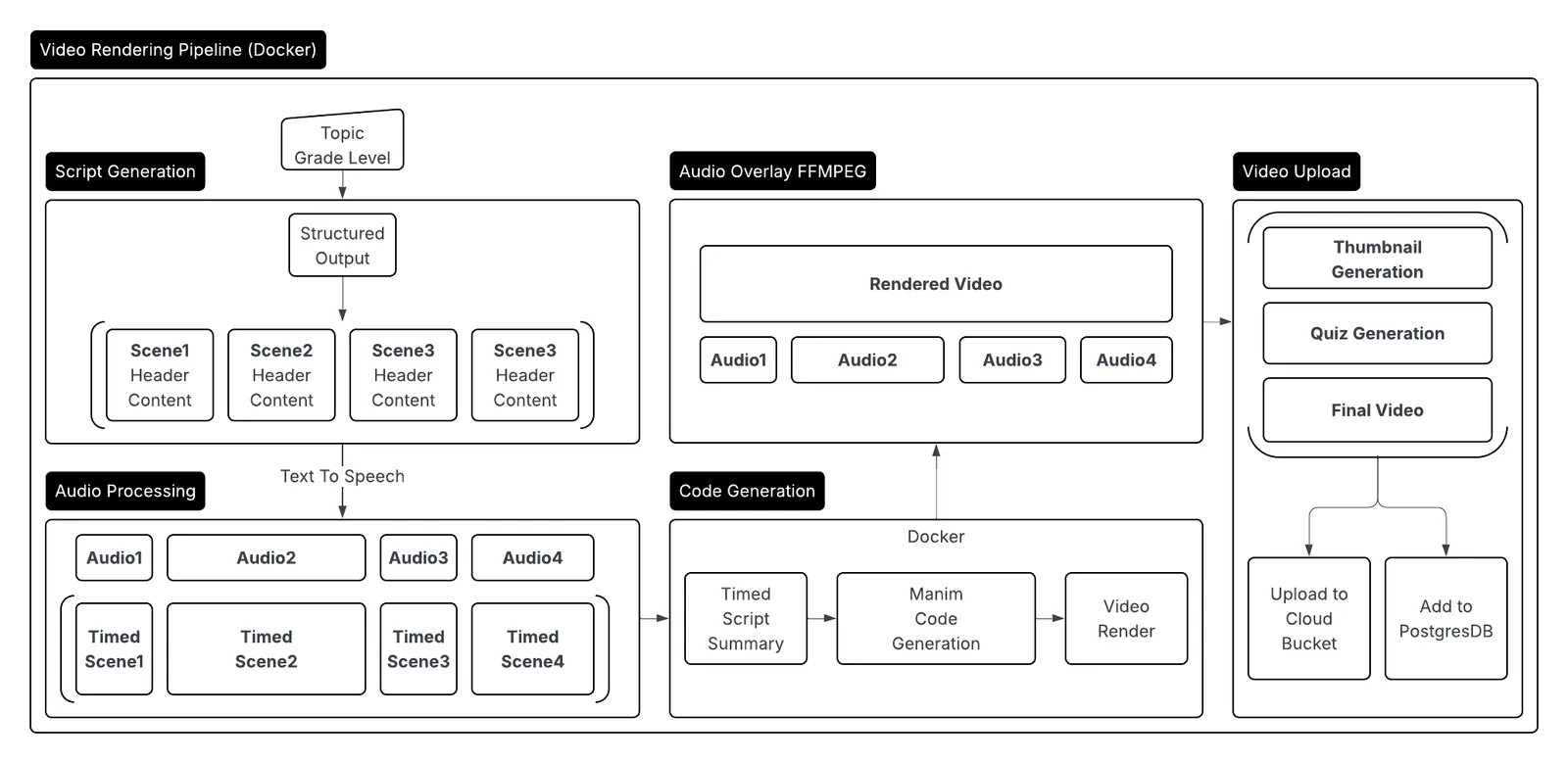
One API call, POST /create_lesson, runs everything on the server and returns once the video is uploaded. The split is simple: language models write text, JSON, and code, and ordinary code does all the media work.
1. Script
Gemini 2.0 Flash writes the script with a response schema, so it comes back as typed JSON: a title and a list of scenes, each with a header and the words to be spoken. Nothing downstream has to parse free text. The prompt also says the script will be read aloud as is, so it can’t contain stage directions or time markers.
2. Voiceover
Each scene goes to Google Cloud Text-to-Speech on its own thread and comes back as its own MP3. Then ffprobe measures each clip and rounds up to a whole second. That number becomes the scene’s length for every later step.
3. Animation code
Claude 3.7 Sonnet, through Vertex AI, gets the script with every scene’s length in seconds and writes a single Manim scene class in Python. We pull the code out of its Markdown code block and save it to a file.
4. Render
The code runs in a Manim container that stays up next to the API. The API writes the file to a volume the two share and starts the render with docker exec, so model-written code never runs inside the API process. The output is a silent 720p MP4.
5. Narration
FFmpeg joins the scene MP3s in order and lays them over the video. The video stream is copied, not re-encoded, and the output keeps the video’s length: if the narration runs short, the end is silent; if it runs long, it’s cut.
6–8. Thumbnail, quiz, and save
Imagen 3 makes a 16:9 thumbnail from the script. It’s embedded in the MP4 as cover art and also saved as a JPEG for the gallery.
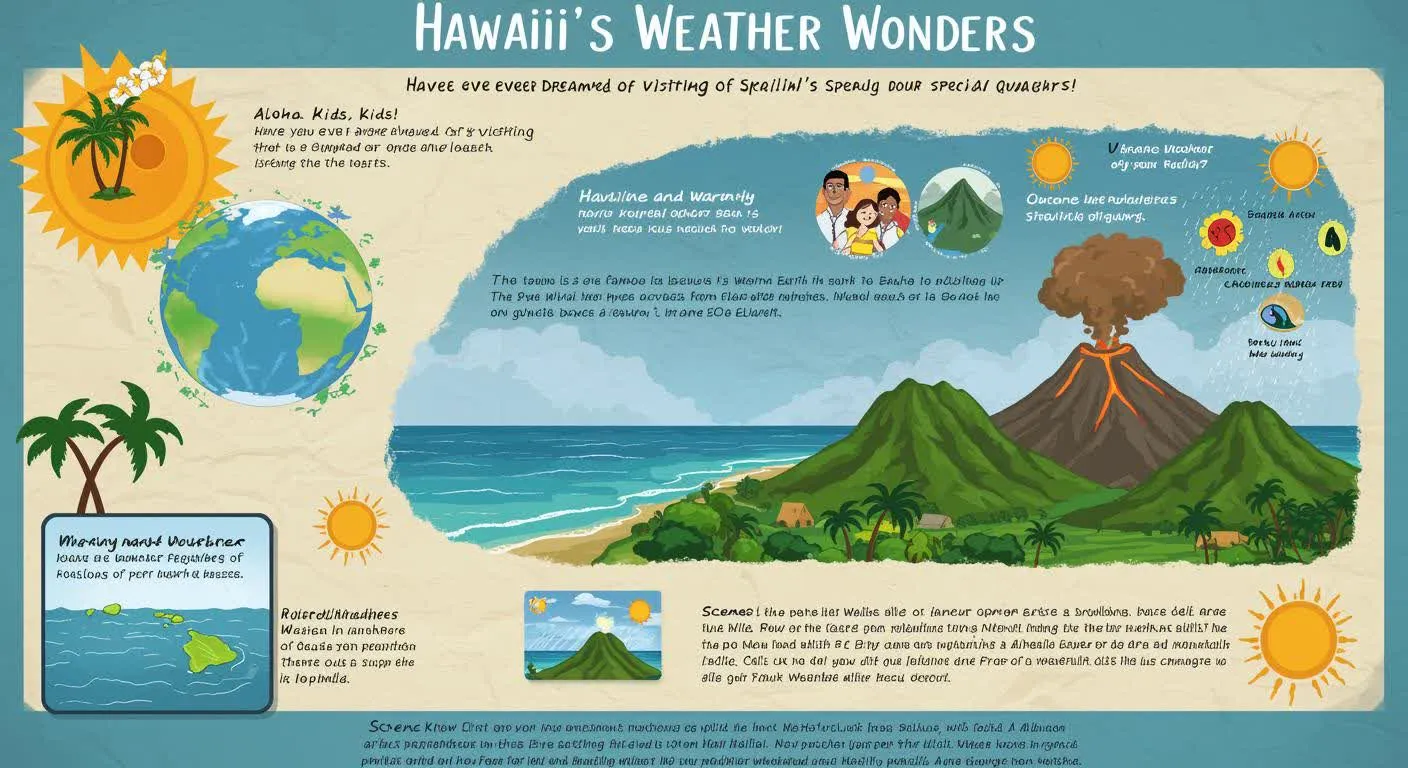 The thumbnail Imagen 3 made for a lesson on Hawaiʻi’s weather. The pictures work; the words in it don’t.
Gemini writes the quiz from the script, again against a schema: each question has its choices, the index of the right one, and an explanation. Finally the video and thumbnail are named by the SHA-256 hash of the video, uploaded to Google Cloud Storage, and recorded in PostgreSQL with the quiz and the user who made it.
Getting generated code to run
The hardest step was the animation code. Our README puts the error rate of model-written Manim code at about 90%, and one failed render means no lesson. Here’s what we did about it.
Narrow what the model can write. The prompt allows only from manim import * and the Python standard library, only simple shapes (rectangles, circles, lines, arrows), colors as hex strings, a class named Main, and no files from outside: no images, no SVGs. Fewer features meant fewer ways to fail.
Try models. Code generation started on Gemini. We also tried Codestral and reverted it, then moved to Claude 3.7 Sonnet and raised its output limit to 16K tokens so the code for a full lesson fits. We also wrote a longer, stricter prompt, then went back to the short one.
Fail loudly. After a render, the step searches Manim’s output for a Python traceback and checks that a non-empty MP4 came out. If either check fails, the request fails and the generated code is logged, instead of the user getting a broken lesson.
Code that runs can still look wrong. The problems left were the ones our README lists: text running off the screen and elements drawn on top of each other.
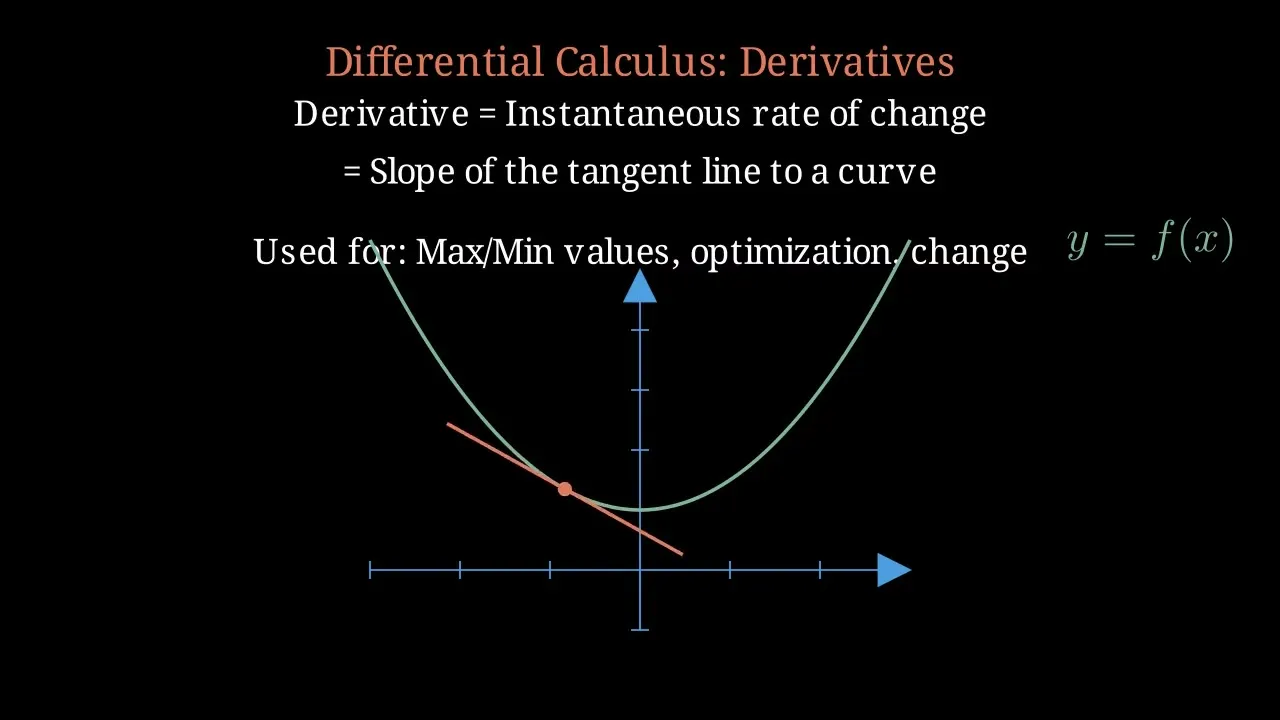
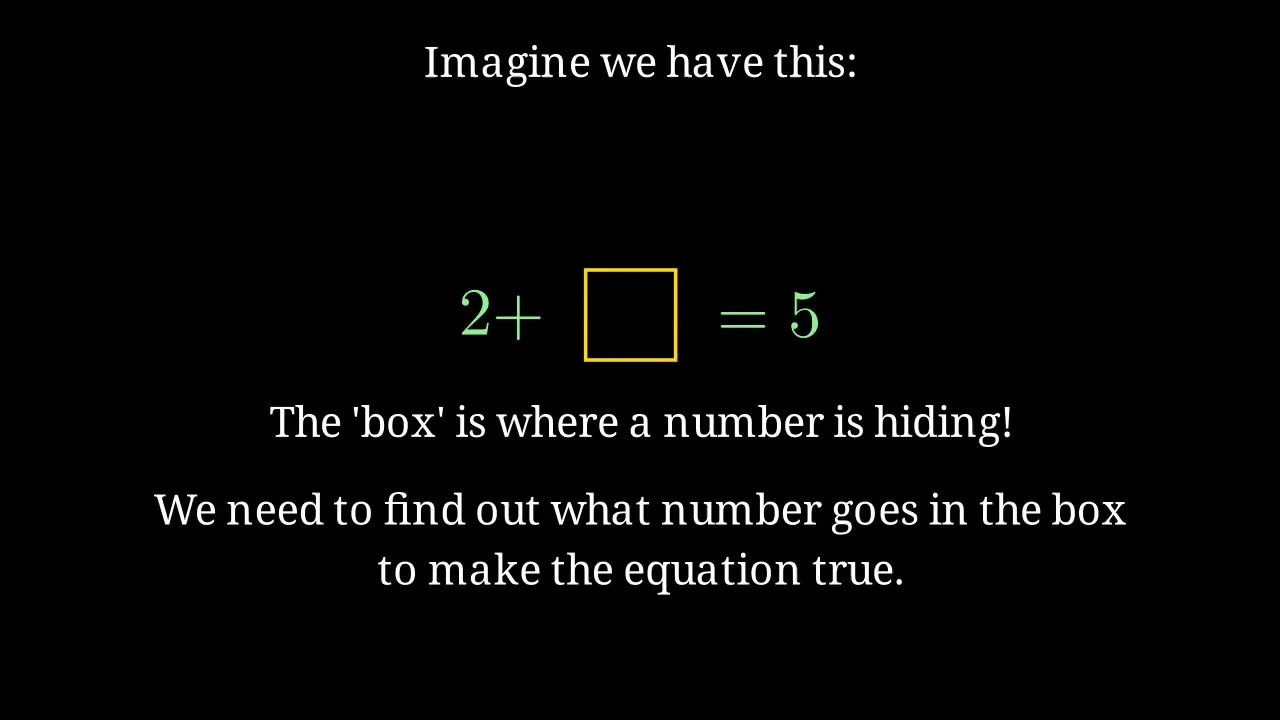 Two more test lessons, on calculus and on algebra for second graders. In the calculus one, the curve runs into the text above it.
Timing the narration to the animation
The audio and the animation come from different models, so nothing lines them up by default. Our fix was to make the audio first and make its timing a hard constraint on the code.
Every scene’s measured length goes into the code prompt. The prompt says those lengths must be followed exactly, that every animation’s run_time counts toward them (fades included), and that the model should keep a running total of elapsed time in code comments as it writes. FFmpeg then lays the audio over the result.
It gets close, but not exact. In the climate lesson above, the video runs 123 seconds and the narration 118.5. Some of that comes from rounding each scene up to a whole second, and the model doesn’t always hit its targets. Teammates also built speech-to-text with word-level timestamps for tighter timing, but we didn’t have time to connect it.
Stack
| Area | Technology | Details |
|---|---|---|
| Web | Next.js 15, React 19, TypeScript, Tailwind CSS | Lesson page, quiz, gallery, PDF upload |
| Auth | Clerk | Google sign-in; a webhook creates the user record |
| API | FastAPI, Pydantic | Typed requests and model outputs |
| Models | Gemini 2.0 Flash, Claude 3.7 Sonnet, Imagen 3, Google Cloud Text-to-Speech | Script and quiz, animation code, thumbnail, narration |
| Media | Manim, FFmpeg | Rendering and audio |
| Data | PostgreSQL, Prisma, Google Cloud Storage | Lessons, users, video files |
| Deployment | Docker Compose | Four containers on one VM: database, Manim, API (eight workers), web |
My part
I built the media pipeline: the script and voiceover steps, measuring the audio and feeding its timing into the code prompt, Manim code generation and the move to Claude, rendering, the FFmpeg audio overlay, the first version of the thumbnail step, and grounding lessons in uploaded material. My teammates built the web app (sign-in, lesson pages, the gallery, the quiz page, and PDF upload), the endpoints that list lessons, the parallel voiceover, and the Docker deployment that gives Manim its own container.
Result
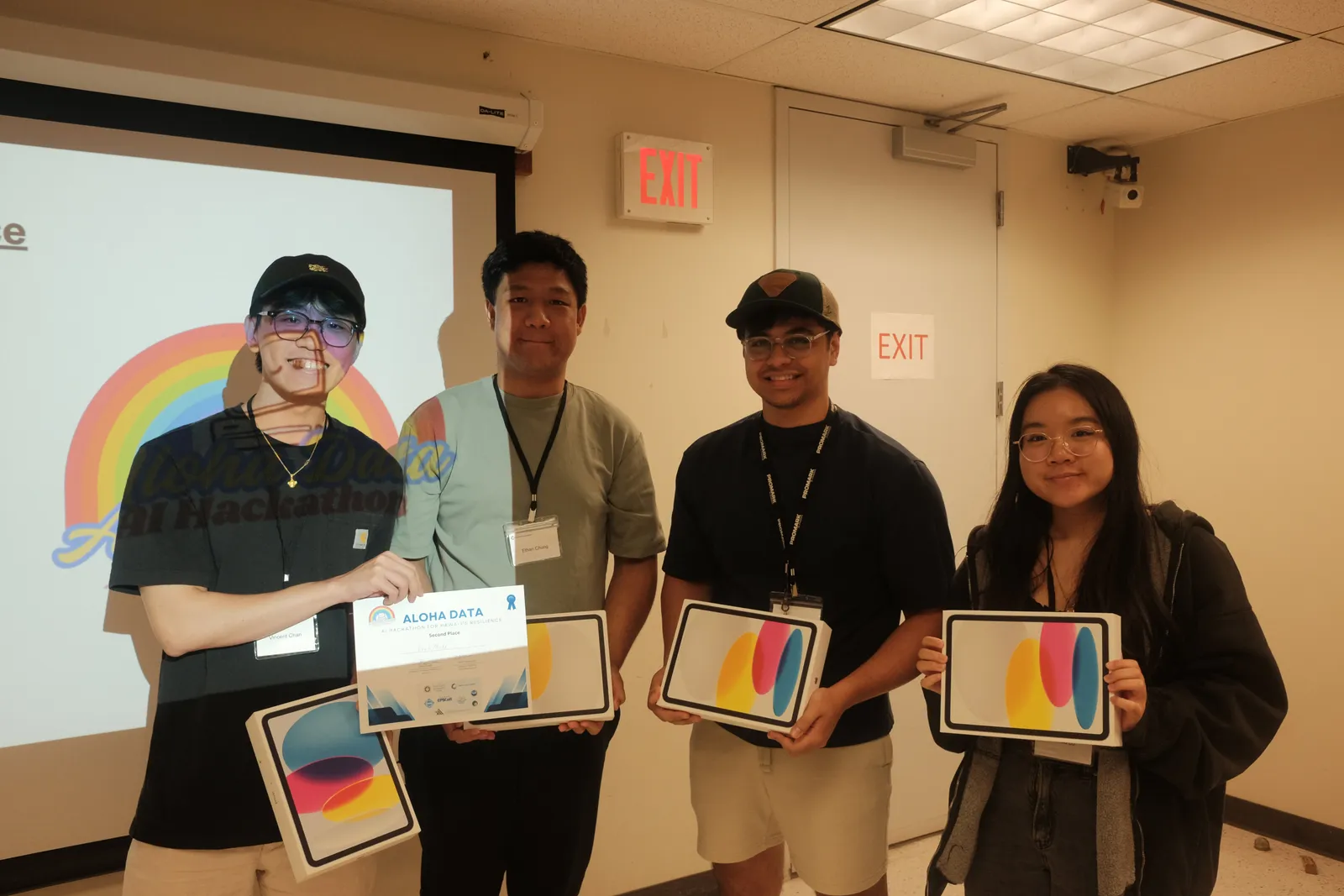
GenEDU placed second at the Aloha Data AI Hackathon for Hawaiʻi’s Resilience.
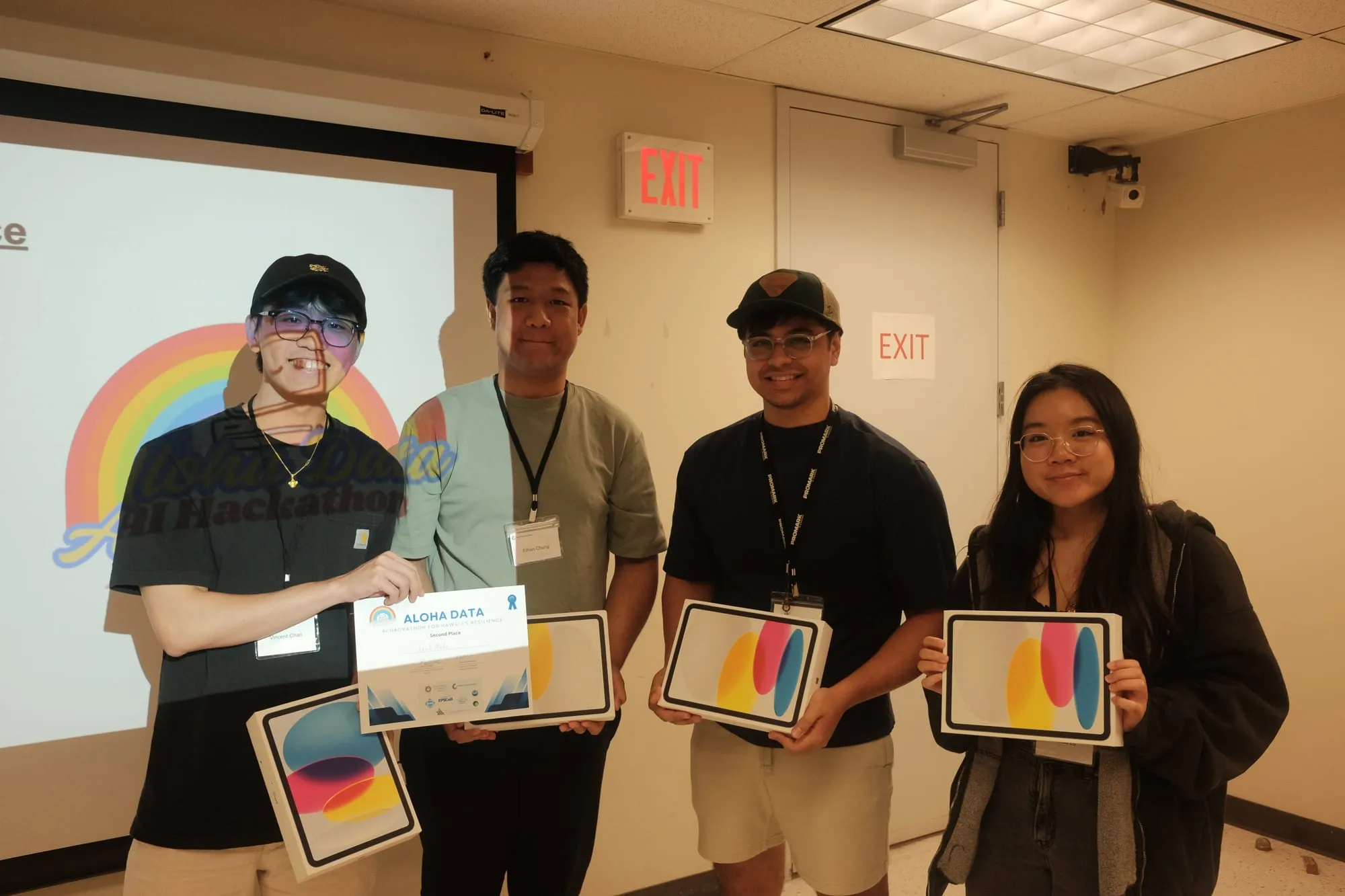 Our team with the second-place certificate.
If I picked it up again, I’d start with three things:
- Retry with the error. Send a failed render’s traceback back to the model for another try, and run a static check on the code before rendering at all.
- Use word timestamps. Connect the speech-to-text work so animations can be timed to words, not whole scenes.
- Make generation a job. Right now one HTTP request stays open from script to upload. A queue with progress updates would hold up better.
Gallery