2025
AppScreen
An AI job screening platform that grades applicants requirement by requirement and explains every score. It took second place in the professional category at HACC 2025.
- Event
- Hawaii Annual Code Challenge (HACC) 2025
- Award
- Second place, professional category
- Role
- Solo lead
- Stack
- React, TypeScript, FastAPI, PostgreSQL, Pydantic AI
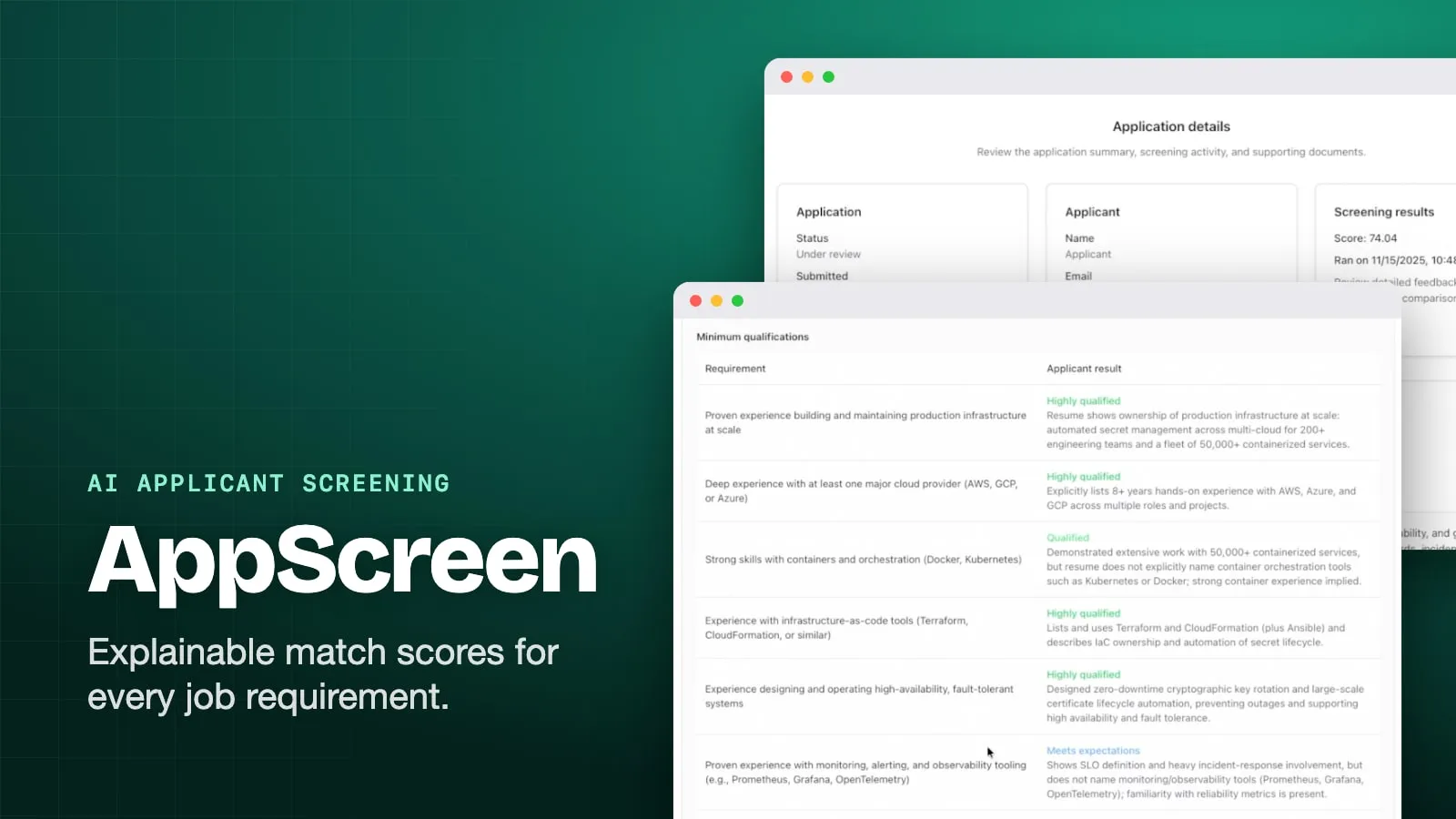
Overview
AppScreen is a job application screening platform I built for the Hawaii Annual Code Challenge (HACC) 2025, where it won second place in the professional category. I led the project. Our team was named DarkMode, which is why the repository has that name.
Reading every resume against a long list of job requirements is slow, and two reviewers can read the same resume differently. An AI that hands back one number is faster, but it’s hard to trust: nobody can see why one candidate got a 74 and another a 61.
So AppScreen doesn’t ask the model for a score. It asks for a judgment on each requirement, with a reason, and computes the score from those judgments in plain code. A reviewer can read every judgment, and change any of them.
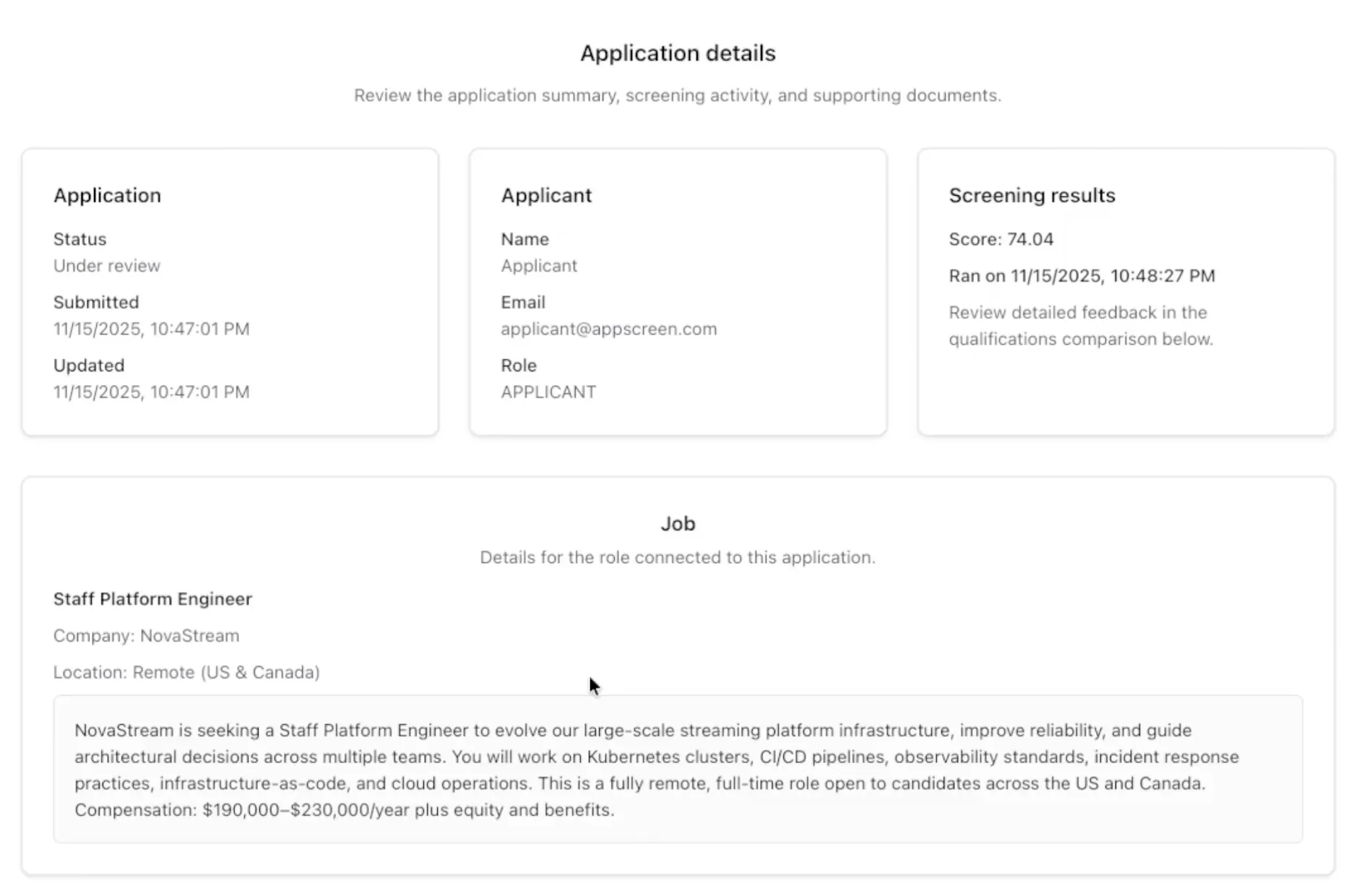 An application under review. The job and applicant are demo data.
Three roles
Every account is a company or an applicant, and admins sit above both. The API checks the role on every request, not just the interface.
- Companies post jobs, screen the applications they receive, and move candidates through the hiring stages.
- Applicants upload resumes, search and apply to jobs, and track where each application stands.
- Admins manage user accounts and can see every listing, application, and screen.
Posting a job
A company can type a listing by hand, or click Fill in with AI and paste a job description or upload one. The job agent reads it and returns a structured listing: title, company, location, job type, remote or not, salary range, closing date, and two lists of requirements, minimum and preferred.
The result fills in the form; it doesn’t save anything. The company checks it, edits any line, drags requirements into order, and then posts it. Every field the model returns is optional, so a description with no salary just leaves that field empty instead of failing.
Applying
Applicants upload resumes as PDF, Word (.docx), or plain text files. The server pulls the text out once, at upload, and stores it with the file. To apply, the applicant picks a job, chooses one of their resumes, and can add a cover letter. The database allows one application per person per listing.
Reviewing
For a company, the Applications page is the review queue. Applications are grouped by stage (submitted, under review, interview, accepted, rejected, withdrawn), and within each stage the highest match score comes first. Cards under review or at the interview stage have buttons to advance or reject the candidate.
Opening an application shows the summary above, the job, the resume text, the cover letter, and a Run screen button.
How screening works
1. Resume to text
Uploads go through a small parser registry. Each parser is a class registered for its file extensions and MIME types: pypdf for PDF, python-docx for Word, and a decoder for plain text. Supporting a new format means adding one class. The same parsers also read job descriptions that companies upload.
2. One judgment per requirement
When a company runs a screen, the screen agent gets the job title, description, both requirement lists, and the resume text. It doesn’t get the applicant’s account details. It returns one result for each requirement, in the same order: a label and a short reason.
There are four labels: highly qualified, qualified, meets expectations, and not qualified. Both agents use Pydantic AI with typed output schemas, so a response that doesn’t fit the schema is rejected instead of half-parsed.
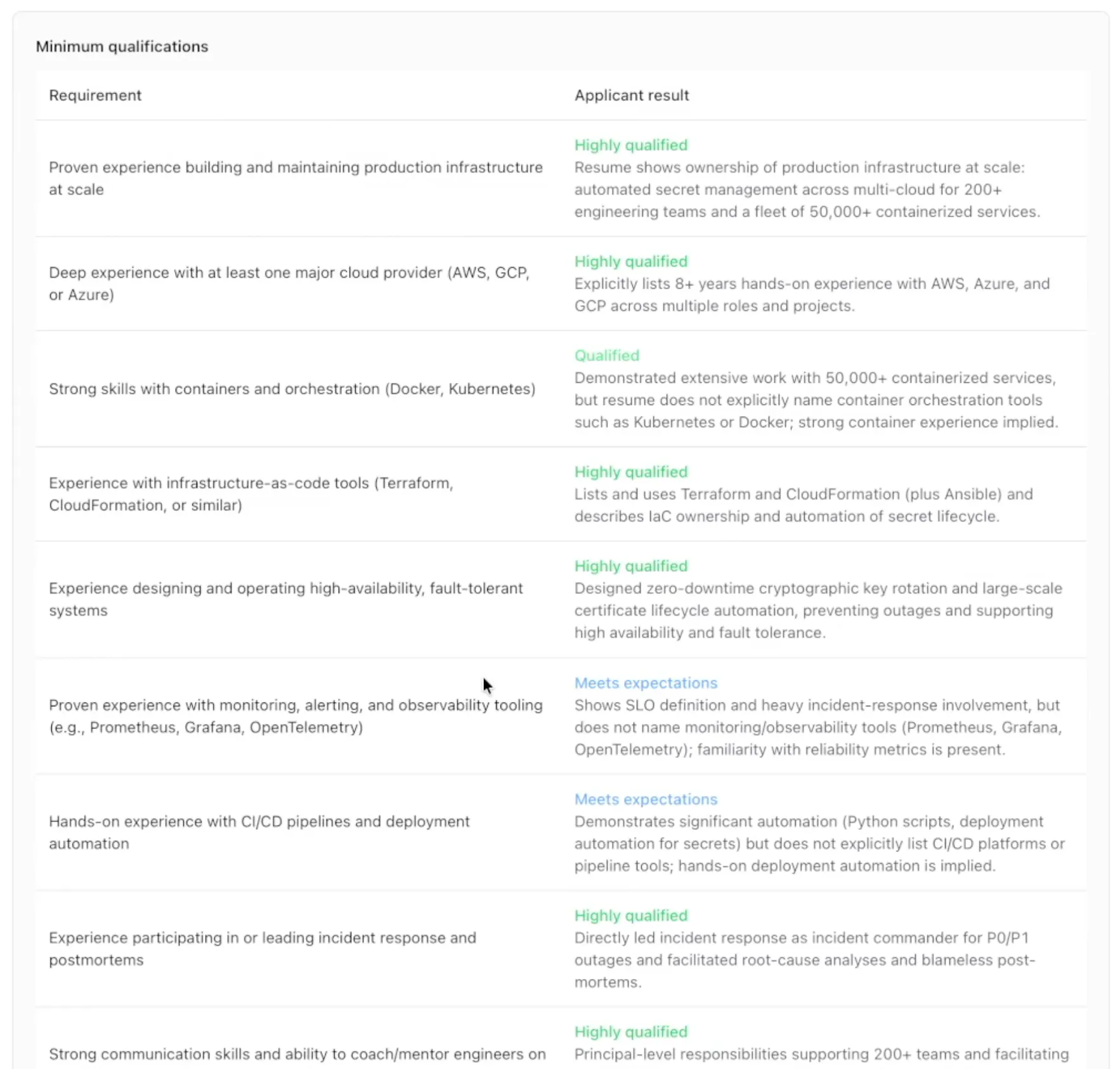 Each requirement gets its own label and reason. In the two “Meets expectations” rows, the resume implies the skill but doesn’t name the tools.
3. The score is arithmetic
The model never produces a number. Code turns each label into points, and minimum requirements count twice as much as preferred ones:
| Label | Points | Minimum (×2) | Preferred (×1) |
|---|---|---|---|
| Highly qualified | 4 | 8 | 4 |
| Qualified | 3 | 6 | 3 |
| Meets expectations | 2 | 4 | 2 |
| Not qualified | 0 | 0 | 0 |
The match score is the points earned divided by the points possible, as a percentage. For example, a listing with two minimum requirements and one preferred one has 20 possible points. A candidate rated highly qualified and meets expectations on the minimums, and not qualified on the preferred one, earns 8 + 4 + 0 = 12, for a score of 60.
The same labels always give the same score, and anyone can trace it back. A missed requirement doesn’t reject anyone on its own. It costs points and shows up in the table, and the decision stays with the reviewer.
4. A person has the last word
A company reviewer can click Edit applicant results to change any label or rewrite any reason. Every requirement needs a label before it saves, and the server recalculates the score with the same code. Only the company that owns the listing, or an admin, can do this.
Each application is screened once. Running it again returns the stored result, so a score doesn’t shift between page loads and the model isn’t called twice. Screening also moves the application to under review.
Engineering decisions
- Template first, domain on top. I started from the official full-stack FastAPI template for login, JWT auth, user management, migrations, and Docker Compose, removed its example code, and built the hiring features as separate services: files, parsers, resumes, jobs, applications, and screens. Each has its own models, routes, and a service class that FastAPI injects.
- Permissions live in the services. Companies only see applications to their own listings, applicants only see their own, and an applicant can only attach a resume they uploaded. These checks run on the server for every request.
- Hiring stages are a state machine. Submitted can go to under review or rejected, under review to interview or rejected, and interview to accepted or rejected. Accepted, rejected, and withdrawn are final. Only the owning company can move an application forward, and only the applicant can withdraw it. Admins can do both.
- Storage behind an interface. Files go through a storage interface with a local disk version, so a cloud store can replace it without touching the resume code. If saving a resume’s database record fails, the stored file is deleted.
- Types from end to end. The frontend’s API client is generated from the backend’s OpenAPI spec, so a changed model shows up as a TypeScript error instead of a runtime bug.
| Area | Technology | Details |
|---|---|---|
| Frontend | React, TypeScript, Vite, Chakra UI | TanStack Router and Query, React Hook Form |
| API client | openapi-ts | Generated from the FastAPI OpenAPI spec |
| Backend | FastAPI, SQLModel | One service per domain area |
| Database | PostgreSQL, Alembic | JSON columns for requirement lists and screening results |
| AI | Pydantic AI, OpenAI | Two agents with typed outputs; the model is a setting |
| Parsing | pypdf, python-docx | PDF, Word, and plain text |
| Auth | JWT | Company and applicant roles, plus admins |
| Deployment | Docker Compose | From the FastAPI template |
What I learned
- Let the model judge and let code count. Keeping the model to one label per requirement made the score repeatable, easy to explain, and easy for a person to correct.
- Show the reason next to the result. The one-line reasons did more for trust than the score did. A reviewer can disagree with a specific line instead of the whole verdict.
- Match results by key, not by position. The model is told to answer in the same order as the requirements, and the page pairs them by position. Next time I’d have it repeat each requirement or check the count on the server, so a skipped line can’t shift the rest.